
Dynamics Inventory Control efficiently manages inventory at an unlimited number of warehouse and sales sites. Capable of handling an unlimited number of inventory items, Inventory enables you to implement sophisticated pricing and item tracking systems.
Inventory tracks quantities, costs and prices. It records item receipts, disbursements and transfers. A full set of inquiry windows and management reports help identify strong and weak product lines, spot trends and accurately forecast future purchase needs.
Inventory tracks the item age and maintains proper stock rotation. It also adapts to unlimited quantity breaks, item sites and bin numbers, as well as item categories.
Inventory helps collect and organize your information
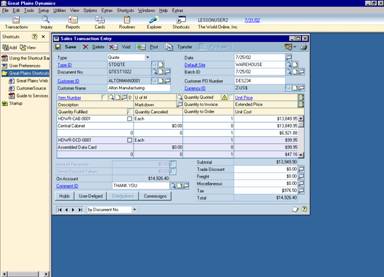 |
Efficient item entry saves time and improves
consistency. |
Item classes: Building “template” item records makes item entry quick and easy. Just choose the default entries for each class of items in your inventory-then select the appropriate class when you enter each item record.
User-defined categories: Easily track the item information that’s most important to you. Create up to six item categories (such as color, style, manufacturer), then analyze inventory activity anyway you like.
Strong item tracking improves control and analysis
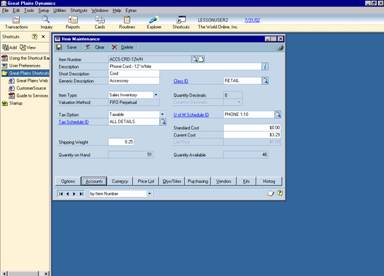 |
In the Item Maintenance window, you can access
detailed item information quickly and efficiently, as well as track costs and
prices. |
Item numbers: Keep the item tracking system you have now or define new and better ways to track items. Use up to 30 characters for the item number, 50 characters for descriptions, plus item type and generic description for complete tracking and analysis.
User-defined item categories: Track the information that's important to your business. Up to six item categories let you track items by size, color, style, type, or any other attribute that helps you analyze and maximize your inventory investment.
Serial and lot numbers: Keep tight control on inventory and improve customer service. Serial numbers track each numbered item, and lot numbers (with up to five user-defined lot attributes) help match manufacturing runs for future order fulfillment.
Item vendors: Track all the important item information for each vendor you order from, including the quantity, cost and order information for each assigned vendor, plus the vendor item number and last purchase price.
Quantity types: Get an accurate reading of the status of your items at any time. Quantity types include on-hand, returned, in use, in service, and damaged.
Sophisticated pricing capabilities increase control and improve customer satisfaction
Customer-level pricing: Reward repeat-business customers, or negotiate and track customer-specific prices. Unlimited price levels can be created for each item and assigned to individual customers or to customer classes.
Price groups: Categorize items that will have similar pricing to allow for convenient analysis and updating of item pricing assignments.
Multicurrency price lists: Easily set up and maintain price lists for your items, using unlimited combinations of units of measure, price levels, and currencies.
Pricing methods: Choose the pricing method that works best for each item. Choices include pricing by currency amount, percent of list, percent markup based on current or standard cost, or percent margin based on current or standard cost.
Unit-of-measure pricing: Easily maintain volume-order pricing structures. Create a record of unique prices for each quantity range, such as single items, boxes and case lots.
Rounding: Automatically round prices up, down or to the nearest value, making it easy to institute a consistent pricing scheme.
Price list maintenance: The Price List Utilities Wizard makes it easy to mass update your pricing lists and items. Options include adding or removing records from a price list, changing existing records in a price list, copying existing price lists to other items, and assigning currencies to your items.
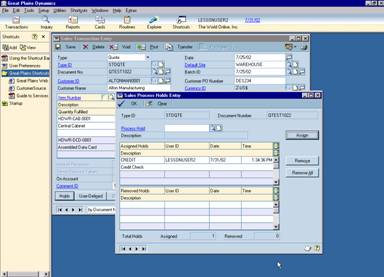 |
Item Price List Maintenance makes it easy to
update, modify and add additional pricing metrics to your inventory items. |
Streamlined item entry saves time and increases accuracy
Integration with other Dynamics applications: Data is entered only once, providing accurate and timely information available throughout the system. Dynamics Sales Order Processing, Invoicing, Purchase Order Processing, and General Ledger all integrate seamlessly with Inventory.
Adjustments, variances and transfers: Within Inventory, three transaction types make for quick and easy accounting of changes in inventory levels and locations.
User-defined document numbers: Create a document numbering system that works best for your business, and Dynamics will automatically increment each time a document is used.
Quantity overrides: Easily allow for special circumstances, such as selling an item before its receipt has been entered.
Real-time or batch posting: Post each transaction as it is entered, or save transactions in batches and post after reviewing the batch transaction edits lists.
Browse buttons: Quickly flip through all transactions you’ve already entered using the VCR-type browse buttons.
Multiple locations in a single transaction: Make item adjustments for all locations without having to enter individual transactions for each.
Increases and decreases in a single transaction: Quickly adjust item levels, either up or down, without having to enter separate transactions.
Better manage and analyze your stock levels through ABC analysis and cycle counting
Prioritize items: Sort sales inventory and discontinued items into A, B, and C classifications, where the “A” items are critical to your business, the “B” items are less controlled, and the “C” items have minimal activity and need little attention and review.
ABC Analysis Wizard: The ABC Analysis Wizard quickly and easily guides you through the mass classification process, giving you options to rank your inventory items according to what’s most important to you: usage value, actual or projected usage quantity, on hand inventory value or unit cost.
 |
Prioritize and take control of your inventory by
attaching a classification code to items based on what is important to you.
|
Make informed decisions: Better manage your stock level with the results of your analysis through the use of related procedures, such as cycle counts, reporting, and other business practices.
Cycle Counting: Ensure accuracy between items on the shelves and within your system so you can maintain sufficient stock levels for projected needs and other management decisions.
Stock Count Calendar: Designate which days your personnel are available each month to perform the physical count. When weekends, holidays, and other “down” days are recorded in the calendar, you can be assured that counts scheduled to take place every 30 days really do.
Unlimited counts: Perform item counts as frequently as makes sense for your business. Group items on a stock count form by a number of characteristics such as ABC code (more frequent counts for “A” items and less frequent for “C” items), site id, item class, item number, generic description, description and item type. Take this report to the warehouse for easy comparison and notation of actual quantities on hand.
Continue with your business: A “snapshot” of your inventory is recorded when you start the cycle counting process, recording quantities for each item/site combination including lot and serial number information. This enables you to continue entering new transactions while cycle counting is in progress.
Record the results: Enter the number of items counted and view variances against the system’s “snapshot” of quantities. Easily view unposted and historical documents which may account for any variances, and decide whether to accept or change the calculated variance. Posted variances will update both inventory and general ledger to ensure accuracy throughout the system and your inventory shelves.
Unparalleled access to decision driving information gives your business a superior competitive advantage
Inventory inquiries: Get instant answers to your Inventory questions. Inventory inquiry windows include item summary, current serial numbers, current lot numbers, price levels, item transaction history, inventory transaction history, and purchase receipts history.
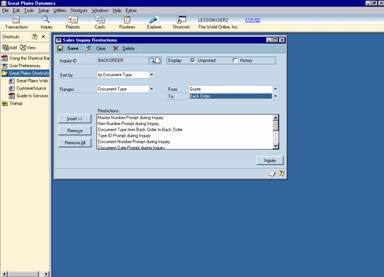 |
Receive instant information on all the
transactions related to any item you define in the Item Transaction Inquiry
window.
|
Drill downs: Easily locate the underlying information you’re most interested in. Drill downs can also cross modules, so item activity can be followed back to the sales or purchase document on which it was first recorded.
Rich reporting capabilities provide in-depth activity tracking and analysis
Inventory reports: Analyze all facets of your inventory with comprehensive standard reports including the Item List, Price List, Stock Status, Turnover Report, Physical Inventory Checklist, Purchase Advice Report, plus posting and history reports.
Report options: Create a suite of reports that present the information you need in the best format for your business. You can save unlimited versions of each report, and group reports for consistent analysis. Reports can also be added to each individual’s Work Button, enabling them to print their own reports whenever needed.
On-screen reporting: Quickly print any report to your screen and electronically search for specific information you need.
Reprint posting journals: Instantly recreate posting information for audit review or in case paper journals are lost or damaged.
Post reports on your financial intranet: Share pricing and availability reports with authorized employees anywhere, any time.
Custom reports: For complete reporting flexibility and power, the Dynamics Report Writer and Crystal Reports enable you to modify existing reports or create entirely new report, including graphing capabilities and the ability to export data to spreadsheets and other applications.
Delivering the power of the Internet to your business
Extend the reach of your information: Employees throughout your organization can receive accurate and up-to-date inventory information, without having to have access to the accounting system. Dynamics eView provides business intelligence by securely connecting your Dynamics information with the Internet.
Inventory views: Instantly check on pricing and availability from any computer that is attached to the Internet. Inventory views include Product Pricing, Quantity Status, and Item Vendor Information. Additional eView information includes sales, purchasing, customer and vendor detail, plus you can post any or all Dynamics reports online through eView.

CompuAll, Incorporated Quality
Solutions Since 1985
10061 Talbert Avenue #200
Fountain Valley, California 92708 USA
Phone: (714) 964-2140 Fax: (714) 964-1491
For a demo or more information E-Mail us at
info@compuall.net for more information.